


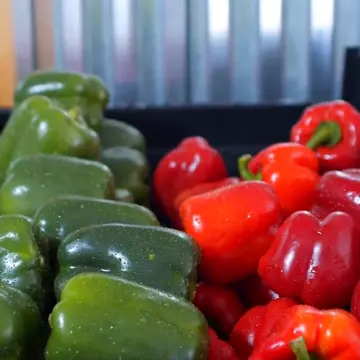





A folder full of tools. A video still waiting to be edited.

Discover another way to edit

Our value

Record it. Turn it into a finished video.

  1. 01
    Start with any raw footage

    Start with any raw footage

    Raw footage is all you need.

  2. 02 Optional
    Choose a title

    Choose a title

  3. 03 Optional
    Provide subtitles

    Provide subtitles

  4. 04
    Create a video in one click

    Create a video in one click

    Your finished video.

Just these two steps to create your video

Core capabilities

Everything you need.

Zipclip works with spoken content and text intent, so every edit has a clear basis.

Transcript-driven editing

Accurate speech-to-text models

Automatic subtitles

AI assistance where it matters

Pacing control

Pacing built for short videos, with room to customize

A rich media library

Add media automatically or bring your own

Built for content-led short videos

  • Expert insights
  • Course highlights
  • Product stories
  • Social videos
  • Podcast clips
  • Interviews

01 — Editing results

Play with effects. Then see the difference.

Switch subtitle and asset effects on the same video, then compare a real recording from raw footage to final cut: pauses, repeated takes, and the order of the edit.

Pick a style

Subtitle language

Caption effect

Asset effect

Bullet points

Intro & outro

Try it with your video

多吃蔬菜
如何改善健康

蔬菜的 4 個好處

  1. 1 富含維生素
  2. 2 礦物質與膳食纖維
  3. 3 提升免疫力
  4. 4 促進腸道蠕動

維生素

高纖

免疫力

好消化

富含維生素 Rich in vitamins ビタミンが豊富 비타민이 풍부하고

礦物質、膳食纖維 Minerals and dietary fiber ミネラルや食物繊維 미네랄과 식이섬유

與植化素,能幫助 plus phytonutrients that help ファイトケミカルも含まれ 파이토케미컬까지 들어 있어

身體提升免疫力 boost your immunity 免疫力を高め 면역력을 높이고

促進腸道蠕動 and support healthy digestion 腸の働きを促します 장 운동을 도와줍니다

Illustrative
02 Real recording

Real footage. See the edit for yourself.

Compare a real talking-head recording with its Zipclip-edited result.

  • Before and after from the same footage
  • Keep the natural voice and delivery
  • Arrange content using the final transcript

Illustrative final transcript

Most people think recording is the hard part. The real work is finding every usable sentence.

Raw footage

Listen for pauses and repeated takes

Final cut

See how the selected content comes together

Start with the raw footage. The arrow reveals the final cut. Play, pause, or replay either video yourself.

02 — Product walkthrough

From upload to final cut. See every step.

In 15 seconds: upload raw footage, set the title and style, let AI match the script and cut, and turn a 21-second take into a 7-second short.

Zipclip Studio 03

Built from real Zipclip screen recordings and a real talking-head take.

About us

We are 健飲雲公司.

Zipclip started with a bottleneck we experienced ourselves.

We create content ourselves. In the past, producing 90 videos a month required NT$50,000 in editing costs, yet we still struggled to publish consistently. Cost was only part of the problem; production schedules were hard to control, too.

Videos produced per month
90 videos
Combined monthly editing costs
NT$ 50,000 / month
  • Inconsistent publishing

    Even with footage ready, maintaining a steady publishing rhythm was difficult.

  • Scheduling around editors

    Our release dates had to fit the editors’ work schedules.

That is why we started building Zipclip: to give creators more control over editing. Drawing on our own experience, we want to help creators facing the same costs and scheduling constraints spend more time on content and publish more consistently.

The people building Zipclip

Jim — team member portrait

Jim

Planning

Turns content ideas into clear plans, giving creative work direction and keeping production on track.

Dau — team member portrait

Dau

Marketing

Communicates the value of Zipclip in language creators understand, helping more people discover the product.

Devin — team member portrait

Devin

Engineer

Turns editing needs into useful features and continually improves the Zipclip experience.

Pricing

Start with a free edit

All plans include the same editing features. Choose your video allowance; Pro also includes dedicated support.

Free

Sign up and start right away — enough to see whether the output works for you.

NT$0 Free to sign up
3 videos
  • Transcript-driven editing
  • Automatic speech matching
  • Removes repeats and dead air
  • Preview and export
Most popular

Advanced

For creators and teams publishing short videos on a steady schedule.

NT$1,690 per month · no auto-renewal
10 videos
  • Transcript-driven editing
  • Automatic speech matching
  • Removes repeats and dead air
  • Preview and export

Pro

Daily publishing

For creators and teams publishing short videos every day.

NT$3,990 per month · no auto-renewal 15% OFF
30 videos
  • Transcript-driven editing
  • Automatic speech matching
  • Removes repeats and dead air
  • Preview and export
  • Dedicated support

FAQ

What to know before your first edit

What if I already work with an editor?

Zipclip exports video, audio, and subtitles in multiple formats, reducing how much you need to rely on an editor.

Can I keep editing an exported video?

Absolutely. Exported files work with major editing tools, including DaVinci Resolve, CapCut, EDIT, and more.

Do I need editing experience?

None at all. Just upload your raw footage.

Do I need a script?

No. Zipclip can generate a script from the content of your video.

Which languages are supported?

Zipclip can translate subtitles into English, Japanese, or Korean and output bilingual Chinese-English, Chinese-Japanese, or Chinese-Korean subtitles.

Can I add a fixed intro and outro?

Yes. Set up your brand intro and outro once, and Zipclip adds them to every finished video automatically.

Does the transcript need timecodes?

No. Zipclip matches the spoken content in your video against the transcript.

Can I change the result?

Yes. Preview the edit, make any adjustments you need, and then export.

Have your first recording ready?

Turn the transcript into video.

Upload your talking-head video and transcript. Let Zipclip make the first cut.

Google sign-in is used only to create or access your Zipclip account and link your Google account. We receive your account identifier, email address, and basic profile information. Privacy Policy Terms of Service